 Domain SearchSecure your perfect Australian domain in seconds
 Web HostingExplore budget-friendly web hosting packages
 cPanel HostingHosting powered by cPanel (The world’s most intuitive control panel)
 Reseller HostingStart your hosting reseller business, without the technical challenges
 Windows HostingOptimised for Windows applications and websites
 Affiliate ProgramGet paid for referring customers to our services
 WordPress HostingHigh-Speed, Optimised WordPress Hosting
 Email HostingSecure business email hosting using your own domain, professional, reliable, and easy to control.
 Domain TransferTransfer your domain with no downtime and complete control
 All DomainsFind and secure domain extensions from around the globe
 Whois LookupCheck domain ownership, expiry dates and registrar details
 .Com DomainSecure the world’s most trusted domain for instant credibility
 AU DomainsGet recognised .au domains made for Australian businesses and people
 SSL CertificateProtect your site with reliable SSL Certificates to safeguard data and build visitor confidence.
 Vps HostingScalable VPS. Complete access. Top-tier speed.
 Managed VPSNot a tech person? Go with our fully managed VPS service.
 Dedicated ServersGet all the power and all the control of your own physical server.
 AI Website BuilderMake professional websites in minutes with AI, no experience needed.
 Online Shop BuilderStart a professional online store. No coding needed.
 Web Design ServiceGet a website designed around your brand and built for your goals.
 BlogBrowse articles on web hosting, online business, digital marketing and other topics
 SupportGet help and instructions for all our services
 ContactConnect with us anytime using chat or email
Australia’s ecommerce market is projected to generate US$36.66 billion in revenue in 2026, ranking as the 11th largest market in the world. User penetration is expected to hit 68.1% by 2030, with an average annual spend of US$2,581 per customer.
You are ready to grab your piece of this growth. Building an online store in Australia is more straightforward than you think, but you need a guide that speaks to our local regulations and customer habits.
I will show you exactly how to build an online store that works for Australian customers. This step by step tutorial covers everything from ASIC registration to getting paid in Australian dollars.
We are using the Truehost online shop builder. Our servers are optimised for performance, keeping your website fast for customers in Sydney, Melbourne, Brisbane, and Perth.
Step 1: Register your business with ASIC
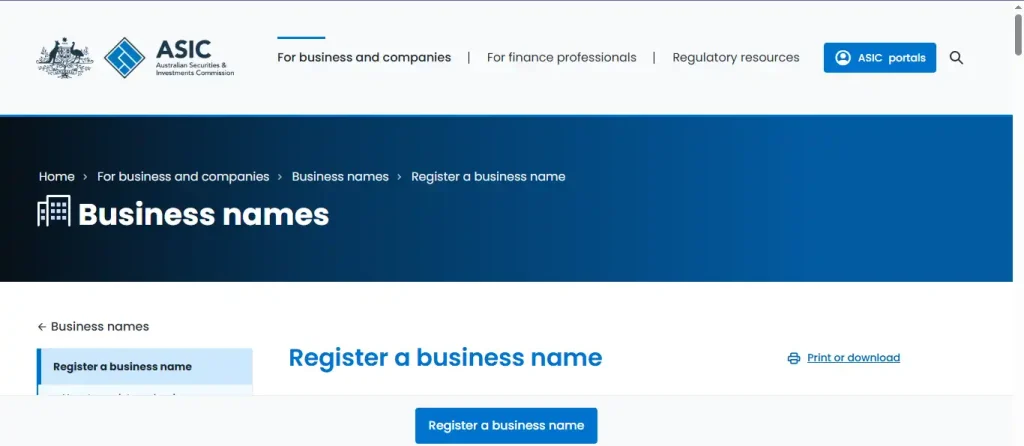
You cannot simply throw up a website and hope for the best. Australian law requires proper business registration before you start trading.
Visit the Australian Securities and Investments Commission (ASIC) website through the Business Registration Service. This single online form registers your business for an Australian Business Number (ABN), a business name, and tax registrations all at once.
The ABN application is free. Registering a business name costs $44 for one year or $103 for three years. A company registration costs $576 for a standard proprietary company.
You need an ABN if your turnover exceeds $75,000 per year. Even if you earn less, having an ABN makes you look more professional to suppliers and customers.
If you operate as a sole trader, you do not need a separate business name. You can trade under your own legal name without any registration fees. Just get your ABN and you are ready to go.
For limited companies, you also need a director identification number. This is a unique 15 digit identifier that stays with you forever, even if you change companies or stop being a director. Apply online through the Australian Business Registry Services website.
Step 2: Register for taxes with the ATO
You must register for Goods and Services Tax (GST) once your business turnover hits $75,000 per year. If you expect to cross that threshold in your first year, register from day one.
GST is set at 10% on most products and services you sell. You collect this from customers and send it to the Australian Taxation Office (ATO) quarterly or annually.
Register for Pay As You Go (PAYG) withholding if you plan to hire employees. This system takes care of income tax and Medicare Levy contributions from your workers‘ pay.
Keep digital records of every sale, expense, and tax transaction. The ATO expects you to keep these records for five years. Cloud accounting software like Xero or MYOB makes this much easier to manage.
If you sell digital products or services to customers outside Australia, you generally do not charge GST. But keep detailed records of those international sales in case the ATO asks for proof.
Step 3: Choose a web host with reliable Australian infrastructure
This is where many beginners make a costly mistake. They sign up for cheap international hosting with servers in America or Europe, which makes their website slow for Australian visitors.
Truehost provides reliable web hosting with performance that keeps customers engaged. Pages load quickly even on mobile networks, and consistent uptime ensures your store stays accessible during busy trading hours.
Website files, emails, and domains are managed through a simple control panel. No technical background is required to handle everyday updates. This makes it easier to stay in control without depending on developers.
Free SSL certificates protect visitor data and help improve trust signals. Basic protection reduces exposure to common website threats. Professional email addresses using your business domain instantly improve credibility when communicating with customers.
Truehost pricing is built to match where your business is today, with room to grow when you are ready. The Starter plan gives you everything to build an online store needs without breaking the bank.
Some hosts lure you in with a cheap first year then hike the price dramatically on renewal. We keep our pricing stable, so what you pay in year one is close to what you pay in year two.
Step 4: Use the AI website builder to build an online store fast
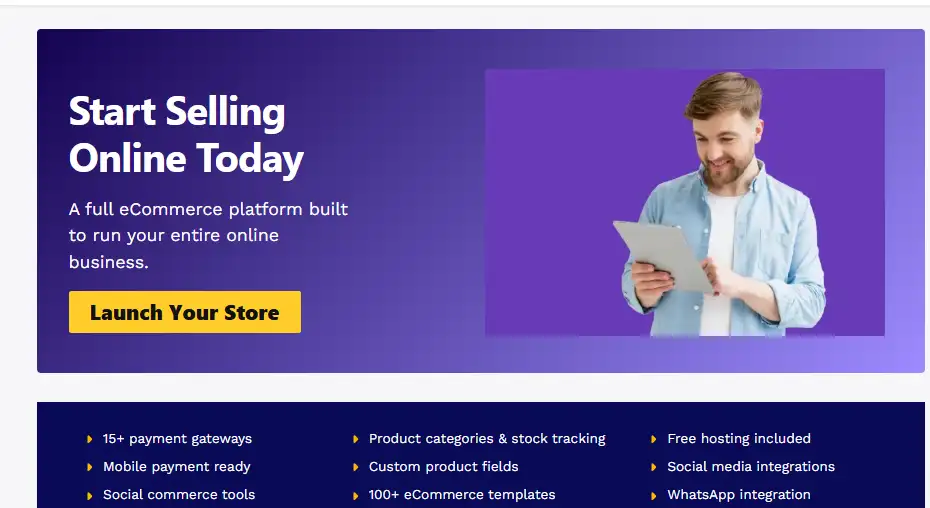
You do not need to hire a developer or learn complicated code. The Truehost AI Website Builder does the heavy lifting for you.
Log into your Truehost dashboard and select the AI builder option. Type one sentence describing your business, for example: “I sell handmade surfboards and beach accessories to customers along the Gold Coast.”
The AI generates a complete homepage, product gallery, contact page, and about page within seconds. It studies successful ecommerce layouts and gives you a professional design that works perfectly on mobile phones.
For the online shop specifically, the AI populates your store with placeholder products. It sets up the shopping cart buttons and checkout flow automatically. You just replace the dummy products with your real inventory and pricing.
You can drag and drop anything you want to change. The AI does not lock you into a rigid template. You stay in full control, but you start at 80% completion instead of staring at a blank screen.
Step 5: Set up payment gateways that Australian customers actually use
Here is the truth: you need multiple payment options. Cards remain the dominant choice, but buy now pay later services have exploded in popularity across Australia.
Stripe is the easiest option for new Australian businesses. Signup takes minutes, and you can start accepting card payments immediately. No monthly fees, just a transaction fee of 1.75% plus 30 cents for domestic cards.
PayPal remains extremely popular with Australian shoppers. Many customers prefer it because they do not need to type their card details on a new website. The trust factor alone makes PayPal worth adding.
Afterpay is the largest buy now pay later provider in Australia. Shoppers pay in four instalments over six weeks with zero interest. The merchant fee is roughly 4% to 6% of the transaction value, but many stores report higher average order values because customers add more items.
Zip works similarly to Afterpay and has a loyal Australian user base. Consider adding both if your products appeal to younger shoppers who prefer instalment payments.
Square offers a complete payment ecosystem including online checkout, in person payments at markets, and inventory management. Their transaction fees are around 1.9% for online cards.
Always display trust signals. Australian customers care about security. Show your payment gateway logos clearly near the checkout button and link to your privacy policy.
Step 6: Display your legal information on the website
Australian websites must display specific business information under the Competition and Consumer Act 2010 and the Australian Consumer Law (ACL).
Your website footer must include your business name, Australian Business Number (ABN), contact email or phone number, and a physical address (even if it is a home office or PO box).
You also need a privacy policy that explains what personal data you collect, why you collect it, how long you keep it, who you share it with, and how customers can access or delete their information.
The Privacy Act 1988 applies to businesses with an annual turnover above $3 million. However, even smaller businesses should follow good privacy practices because customers expect transparency.
If you use cookies or tracking pixels, you need a cookie consent banner. This includes analytics tools like Google Analytics, advertising pixels from Facebook or TikTok, and any retargeting technology.
The Australian Consumer Law gives customers specific rights. You must provide a clear refund and returns policy that matches your products. For major problems, customers can choose between a refund, replacement, or repair. For minor problems, you can choose which remedy to offer.
If you sell to customers in other countries, additional regulations may apply. The UK GDPR, for example, has extra requirements if you actively target British customers.
Step 7: Set up shipping and delivery options
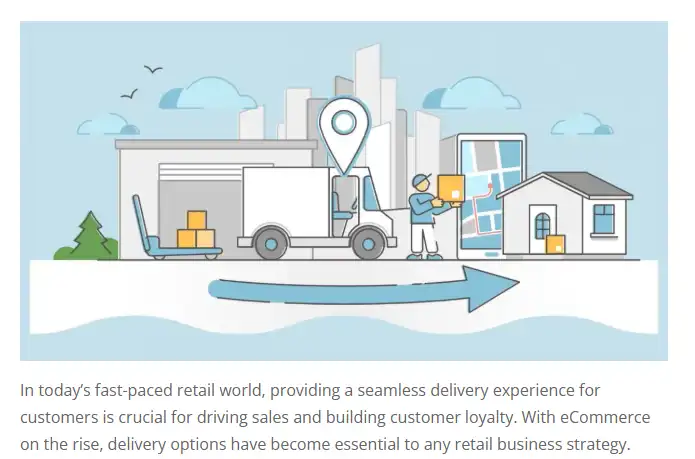
Australian customers expect reasonable delivery times, but they are used to longer wait times than shoppers in Europe or America. Distance is a real factor here.
Australia Post is the most recognised name in local delivery. For a small parcel up to 5kg, Parcel Post starts at around $9.95 for delivery within the same state. Express Post starts at around $13.95 and delivers overnight within the express network.
Sendle is a popular alternative that picks up from your home or office with no drop off required. Their pricing starts at around $8.89 for a 500g parcel delivered within the Sendle network. Carbon neutral delivery is included on every parcel.
For larger items, consider using a freight aggregator like Shippit or Starshipit. These platforms compare rates across multiple carriers including Aramex, CouriersPlease, and Toll, then show you the cheapest option for each order.
Offer free shipping on orders over a certain threshold, say $100 or $150. Many customers add extra items just to qualify for free delivery. Just make sure your product pricing covers the postage cost on those larger orders.
The busiest online shopping days in Australia are typically Black Friday (late November), Cyber Monday, Boxing Day sales (26 December), and the weeks leading up to Christmas. Prepare your shipping capacity for these surges well in advance.
Step 8: Launch and start selling
Set a firm launch date and tell everyone about it. Your first 100 customers will likely be friends, family, and their referrals.
Add at least 20 products before you launch. An empty store looks abandoned and kills trust. Use the AI to generate product descriptions and then personalise them with your own voice.
Test the entire checkout process yourself. Buy something from your own store using every payment method you have set up. Make sure the confirmation email arrives and the order shows up correctly in your dashboard.
The peak shopping hours in Australia are typically weekday evenings between 7pm and 9pm AEST, plus weekend afternoons. Your site needs to perform when people are relaxing after work, browsing on their phones.
Your next move
Stop reading and start doing. Go to Truehost.com and choose a hosting plan that fits your budget. Reliable web hosting keeps your store accessible and your customers happy.
Here is what you get: fast website performance that works even on mobile networks, free SSL certificates for security, an AI builder that designs your shop in minutes, business email hosting using your domain, and support from real people.
The Australian ecommerce market is growing steadily and will continue expanding through 2030. You are not late to this party, you are right on time.
Sign up for Truehost today. Build your online store this weekend. Start selling next week. The Australian market is waiting for you.
