 Domain SearchSecure your perfect Australian domain in seconds
 Web HostingExplore budget-friendly web hosting packages
 cPanel HostingHosting powered by cPanel (The world’s most intuitive control panel)
 Reseller HostingStart your hosting reseller business, without the technical challenges
 Windows HostingOptimised for Windows applications and websites
 Affiliate ProgramGet paid for referring customers to our services
 WordPress HostingHigh-Speed, Optimised WordPress Hosting
 Email HostingSecure business email hosting using your own domain, professional, reliable, and easy to control.
 Domain TransferTransfer your domain with no downtime and complete control
 All DomainsFind and secure domain extensions from around the globe
 Whois LookupCheck domain ownership, expiry dates and registrar details
 .Com DomainSecure the world’s most trusted domain for instant credibility
 AU DomainsGet recognised .au domains made for Australian businesses and people
 SSL CertificateProtect your site with reliable SSL Certificates to safeguard data and build visitor confidence.
 Vps HostingScalable VPS. Complete access. Top-tier speed.
 Managed VPSNot a tech person? Go with our fully managed VPS service.
 Dedicated ServersGet all the power and all the control of your own physical server.
 AI Website BuilderMake professional websites in minutes with AI, no experience needed.
 Online Shop BuilderStart a professional online store. No coding needed.
 Web Design ServiceGet a website designed around your brand and built for your goals.
 BlogBrowse articles on web hosting, online business, digital marketing and other topics
 SupportGet help and instructions for all our services
 ContactConnect with us anytime using chat or email
Cyber threats keep rising in Australia, and many SMEs feel the pressure every day.
Hackers target smaller businesses now because they expect weak hosting systems.
Your website is your digital front door.
It must stay safe, fast, and trusted by your Aussie customers.
This guide shows you how to host the web securely using simple steps anyone can follow.
You will learn what matters, what to avoid, and how to keep your website safe.
Hosting inside Australia gives you faster speeds and better compliance.
Local data centres help you follow the Privacy Act 1988 and protect your customer data.
At Truehost, we focus on secure local hosting for Australian businesses.
We make it easier for you to stay online and defend your digital space.
Knowing how to host the web securely gives you control over your digital space.
This guide explains the core steps so you can protect your site the right way.
Step 1:Chosing a Host With the Local Advantage
Picking the right hosting provider is the first part of how to host the web securely.
Your host shapes your safety, your uptime, and your customer experience.
Australian Data Centres (Data Sovereignty)
Hosting inside Australia protects your data under Aussie laws.
It also keeps your site fast for local customers.
Australian data centres offer better compliance.
They also help you avoid slow overseas servers and legal issues.
Benefits of Local Hosting
- Faster loading for Aussie visitors
- Better compliance with the Privacy Act
- Stronger protection under Australian rules
- Lower latency and better performance
- Higher trust from local customers
At Truehost, we use data centres in major cities like Sydney and Melbourne.
Your data stays inside Australia from start to finish.
Tier 3 or Higher Data Centres
Tier 3 centres offer strong uptime and redundancy for your site.
They provide 99.982% uptime for consistent performance.
This level is essential for Aussie SMEs that need reliability.
It stops outages from hurting your brand.
Truehost uses systems that meet Tier 3 standards.
We protect your website even during unexpected events.
Here’s a quick table for clarity:
| Data Centre Tier | Uptime | Best For |
|---|---|---|
| Tier 1 | 99.67% | Basic sites |
| Tier 2 | 99.74% | Small traffic |
| Tier 3 | 99.982% | SMEs needing strong reliability |
| Tier 4 | 99.995% | Large enterprises |
Local 24/7/365 Support
Support matters when your site goes down.
Overseas support can delay fixes due to time zones.
Local teams understand the Australian digital environment.
They react fast when things break.
Truehost offers 24/7 local support for all Aussie customers.
We fix issues quickly so your business stays online.
Server Hardening and Modern Security Tools
Server hardening is a major part of how to host the web securely.
It prepares the server before threats reach your files.
Firewalls like Fortinet add strong protection.
CloudLinux isolates accounts for safer shared hosting.
Truehost uses both tools to protect your site.
We secure the base before you even start building.
Step 2: Essential Web Security Must-Do’s
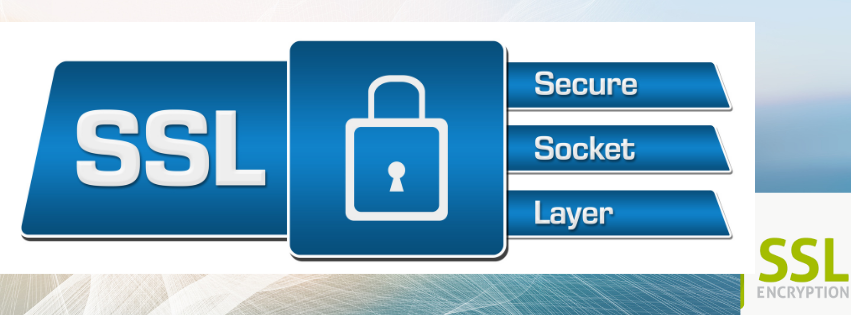
These steps are the backbone of how to host the web securely.
They give your site active protection around the clock.
Use SSL to Encrypt All Traffic
SSL makes your site safer by encrypting data.
Customers trust sites that display HTTPS.
Without SSL, attackers can intercept information.
This exposes passwords, forms, and payment details.
Truehost offers free SSL certificates on all plans.
You get full encryption without extra costs.
Build a Strong Backup Strategy
Backups protect your site when things go wrong.
They help you recover fast after an attack or accident.
A strong backup plan includes:
- Daily or hourly backups
- Off-site storage
- Stored copies inside Australia
- One-click restore options
- Automated backup systems
If a breach happens, you can restore your site quickly.
No panic and no major losses.
Truehost offers automated backups for all hosting plans.
We store copies safely so you always have access.
Use Proactive Malware Scanning
Malware scanning is a major part of how to host the web securely.
It catches harmful files before they damage your site.
Tools like Monarx and Sucuri scan for threats all day.
They react fast and block risky actions.
Truehost uses constant scanning across all servers.
We help keep your site clean and your data safe.
Step 3: Best Practices for Owners and Developers

Your habits also shape your online safety.
Even strong hosting needs safe user behaviour.
Access Control and Account Security
Strong passwords protect your hosting and CMS accounts.
Weak passwords give hackers easy entry.
Turn on 2FA or MFA for extra protection.
This adds a second layer of defence.
Never use default usernames like “admin.”
Hackers test those names first.
Truehost supports MFA across all hosting tools.
We secure your accounts from unwanted access.
Stay Updated to Close Security Gaps
Updates fix security flaws in your tools.
Outdated systems create open holes.
Always update your CMS, themes, and plugins.
Even small updates protect your site from attacks.
Remove old plugins you don’t use.
Unused tools increase risk for no reason.
Use Secure File Handling Methods
Use SFTP for file transfers to keep data encrypted.
Avoid old FTP because it exposes your files.
Set strict file permissions on your server.
This prevents harmful scripts from running.
Truehost supports secure file transfer tools.
We help you keep your uploads protected.
Step 4: Staying Compliant With Australian Privacy Laws
Compliance is a key part of how to host the web securely.
Australia has strict rules for protecting customer information.
The Privacy Act 1988 and the APPs
If you handle sensitive information, you must follow the APPs.
This includes health, finance, and personal data.
You must protect your data using strong hosting tools.
Failing to do so can expose you legally.
Hosting inside Australia helps you follow these rules.
It keeps your data under local laws and protection.
Truehost supports compliance with secure systems.
We help you meet the APP requirements.
Notifiable Data Breaches (NDB) Scheme
You must report serious data breaches under the NDB scheme.
This includes leaks, theft, or exposure.
A secure host reduces these risks.
It also helps you recover if a breach happens.
Truehost offers fast response systems.
We help you limit damage and restore your site.
Data Residency in Australia
Data residency keeps your information inside Australia.
This gives you legal protection and customer trust.
It is a key part of how to host the web securely.
Local storage protects your business from foreign laws.
Truehost stores data in 100% Australian servers.
Your information stays safe and local.
Conclusion: Your Secure Digital Fortress
You now understand how to host the web securely in Australia.
The steps are simple, clear, and effective.
Local data centres give you fast speed and compliance.
Backups and scanning protect your site daily.
Updates, strong passwords, and secure transfers close the final gaps.
These tools work together to protect your online business.
Your website is the heart of your digital presence.
A secure host keeps your reputation strong and your customers confident.
At Truehost Australia, we support SMEs with strong local hosting.
We help you stay online, stay secure, and stay protected.
Choose Truehost today and build a safer digital future for your business.
